Are you a consultant and want to show off your company’s polish to its clients? Or maybe you’ve got a little company pride.
In any case, here’s how you can customize your meeting minute emails.
-
Run your meeting as normal
-
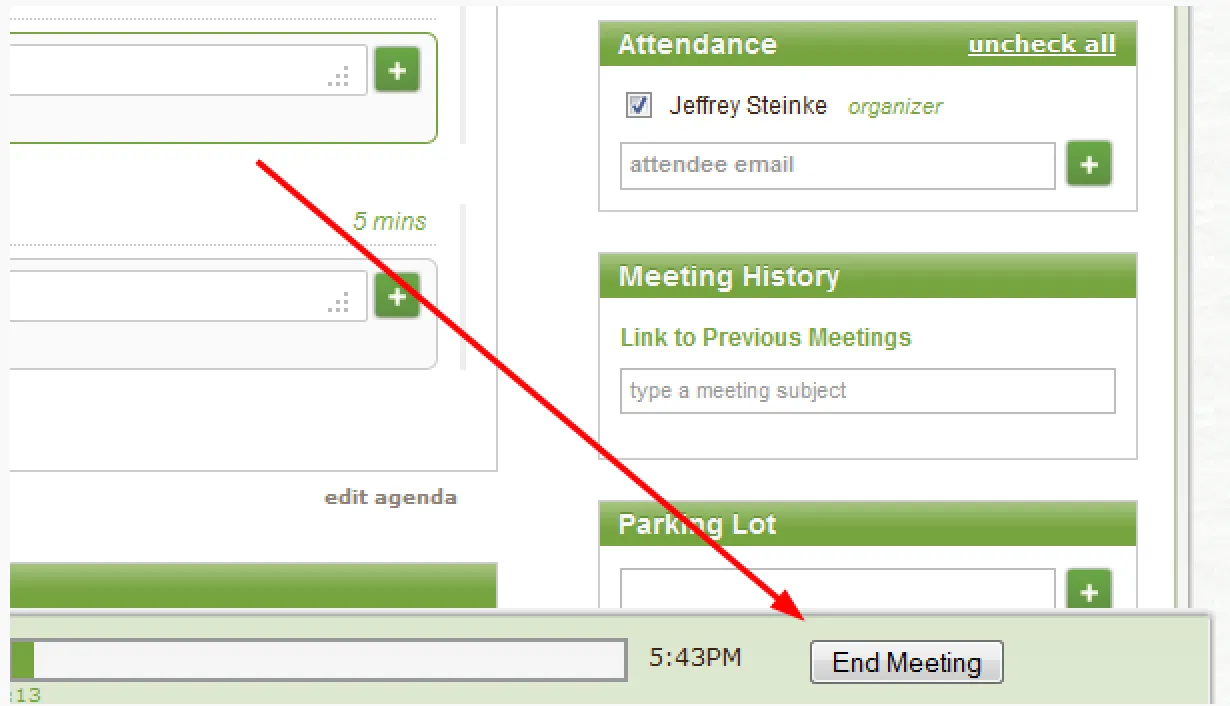
When the meeting’s over, click the End Meeting button in the lower right
- From the meeting closeout window, click show customizations
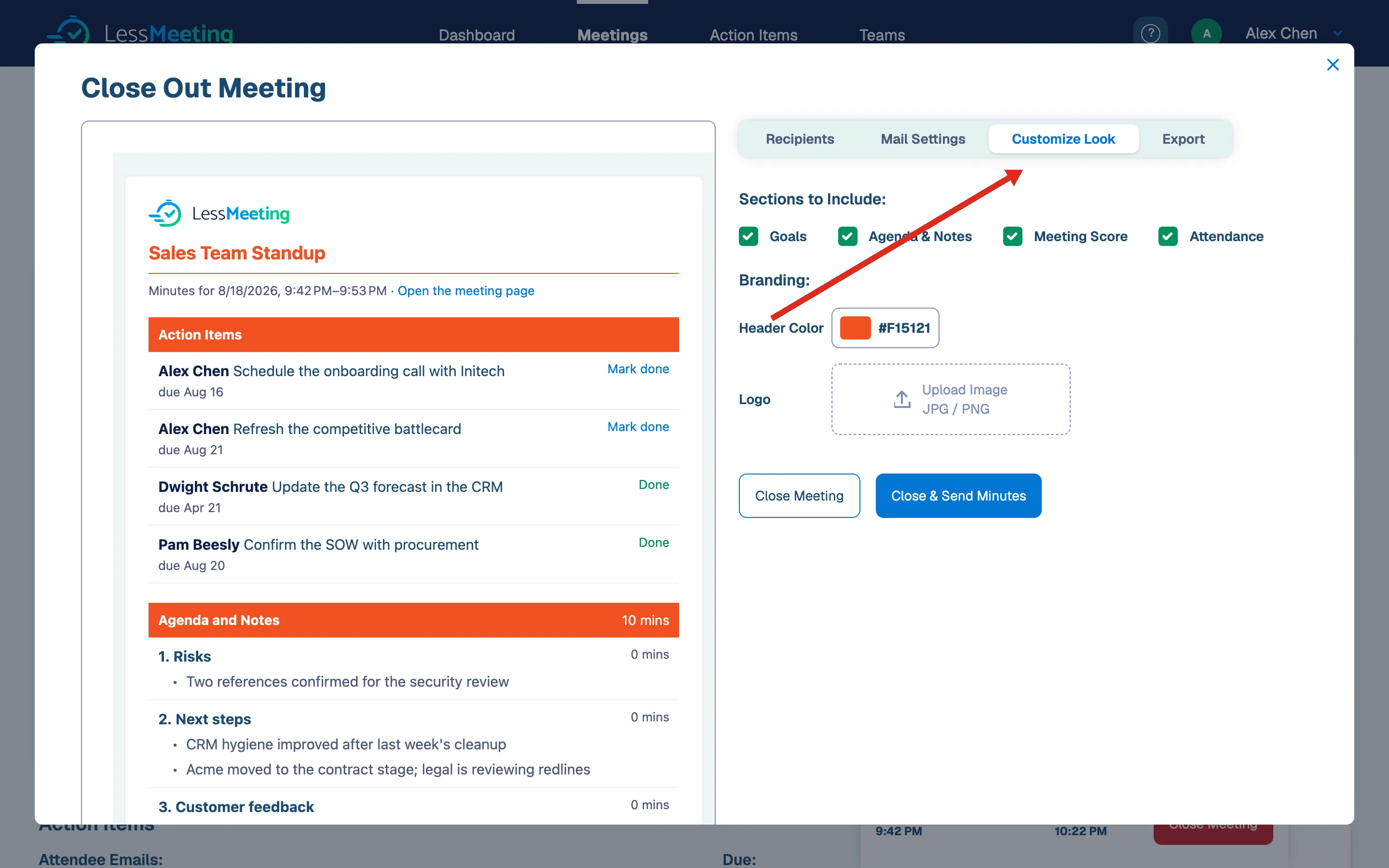
- From here, spruce up your minutes with your company’s logo and colors.
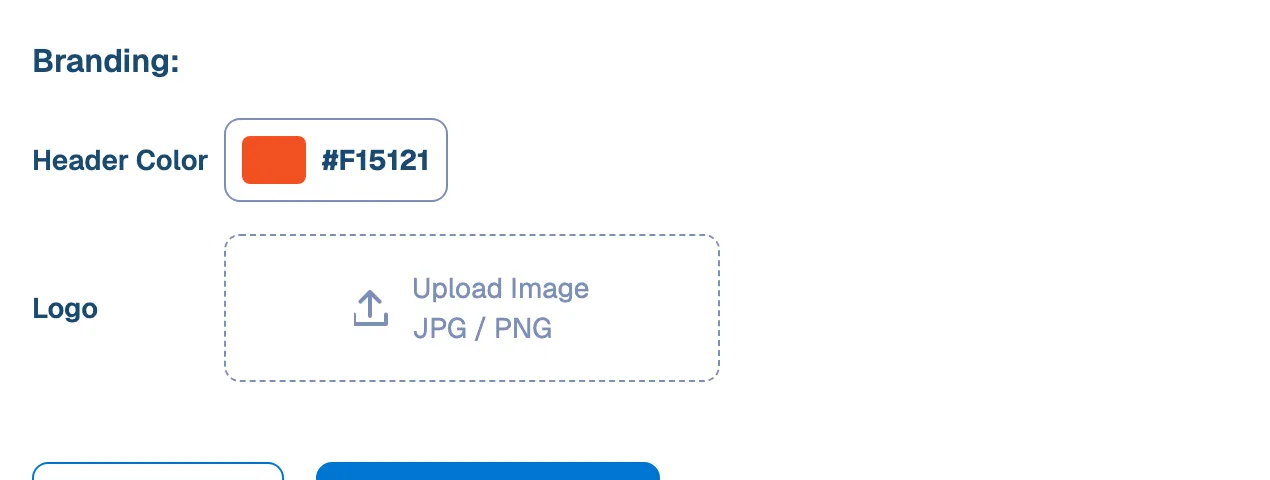
Bonus tip: Get fancy and lookup the official Hex color code of your organization to go in the Header Color.
- And you’re now ready to go.
A couple final notes:
- Don’t worry, this setting will be saved so that you won’t have to set it every time you have a meeting
- Others in your organization can use your template too. All they have to do is click the use shared look option below the header color section