Most meetings should've been an email. We fix the rest.
Give every agenda item a time limit and stick to it. Action items chase their owners until they're closed, and the cost analytics show you which recurring meetings to cut.
Free 14-day trial · no credit card · invite your whole team · works with Microsoft 365 & Google Workspace





the usual suspects
You know these people
Every team has a few. Less Meeting has a feature with each one's name on it.
The Meeting Hog
Always talking. Whether they have a point or not, and whether it's the right time or not, it's getting said. The agenda is a suggestion and the clock is somebody else's problem.
How Less Meeting stops them
Every topic gets its own slot and a countdown the whole room can see. When it hits zero, the floor moves on, whoever's holding it.
Read the full story →The Meet-Head
Schedules a meeting to talk about the next meeting. Every status update, tiny decision, and “quick sync” becomes another block on your calendar.
How Less Meeting stops them
Automatic meeting scores and cost analytics show which meetings earned their place, and which should've been an email, a call, or a DM.
Read the full story →The Hold-Up
Every meeting is ready to start, and everyone's waiting on that one person. By the time they stroll in, the flow is gone and you're recapping from the top.
How Less Meeting stops them
Start the timer at :00 whether they're here or not. Miss the first topic and you've missed it, so people learn to show up on time.
Meet the whole lineup →The Meeting Hijacker
You booked the meeting to cover one thing. The hijacker shows up, steers straight onto their own pet topic, and burns the entire slot.
How Less Meeting stops them
A parking lot catches off-topic tangents and saves them for later, so the agenda you set is the agenda you run.
Read the full story →Miss Agenda-Less
Ever sat in a meeting and not been sure what it was even about? Everyone waits quietly to see where it goes. It runs long, wanders, and ends with nothing decided.
How Less Meeting stops them
Put a saved agenda template on the invite, and the purpose and everyone's prep are set before anyone walks in.
Meet the whole lineup →How a meeting runs in Less Meeting
Plan it, run it, and let the follow-up happen automatically.
-
Plan the agenda
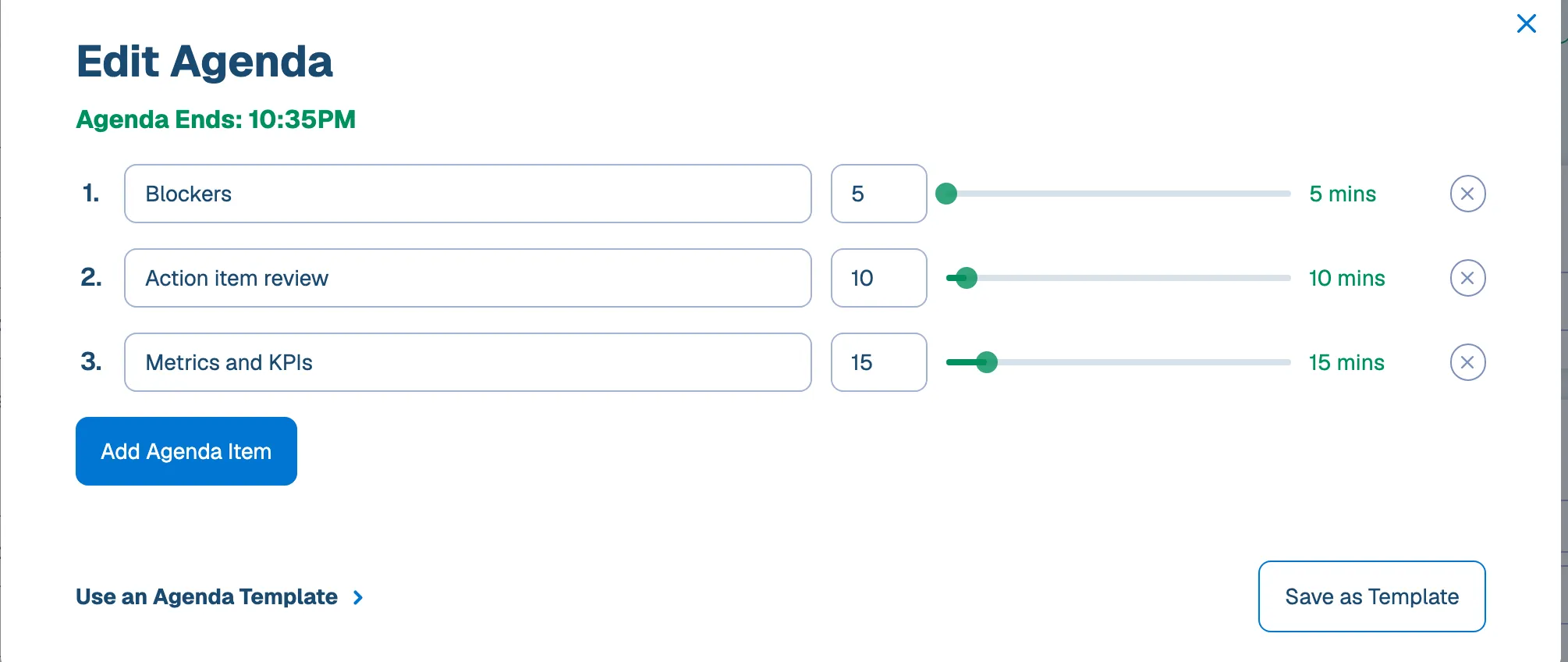
Add a timed agenda to any meeting on your calendar, from a saved template or from scratch. Everyone knows the plan before they walk in.
-
Run a tighter meeting
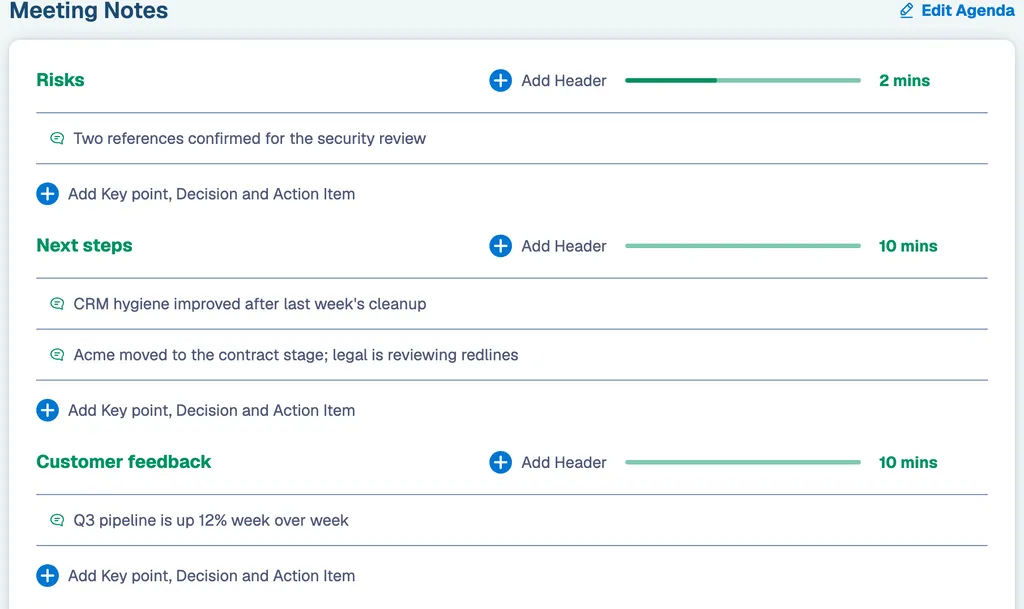
Keep time per topic, capture notes and decisions as they happen, and let attendees rate the meeting when it wraps.
-
Follow up automatically
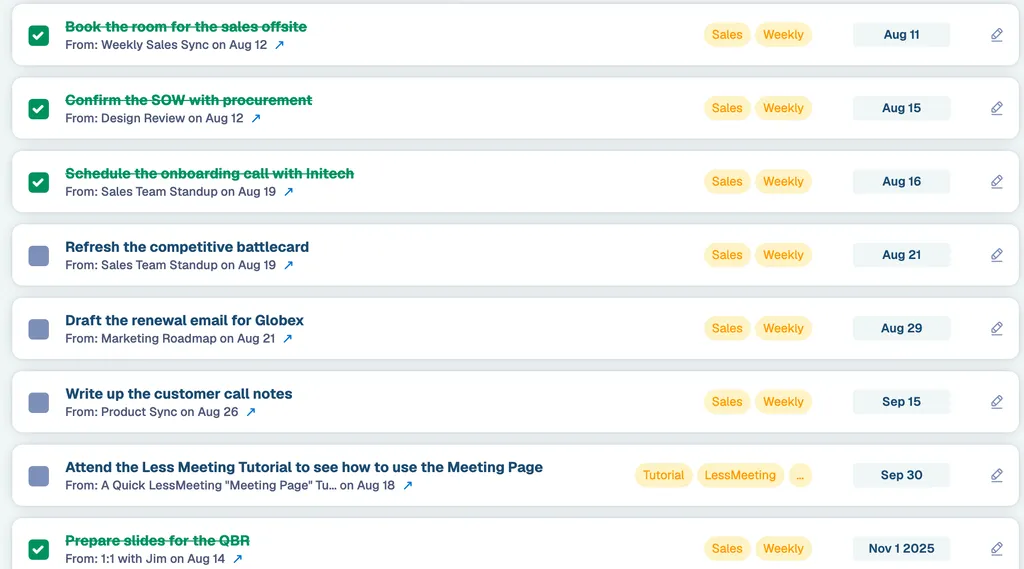
Minutes go out the moment you wrap. Anyone handed an action item in the room gets reminders until they close it.
who it's for
Which meeting are you trying to fix?
Same product, three different first wins. Pick the meeting that eats most of your week.
The weekly leadership meeting
Open on the scorecard with every KPI trended across the quarter, and see what your team's meetings cost.
For leadership teams →Project status meetings
Timed agendas so the hour holds, and open action items that carry into the next occurrence until they're closed.
For project managers →Sales 1:1s and pipeline reviews
A KPI chart per rep trended across every 1:1, with coaching commitments that outlive the meeting.
For sales managers →Less Meeting, by the numbers
meetings run with a timed agenda
action items closed, 84.5% of those assigned
of timed meetings finish on time or early
recurring series & 1:1s set up
recurring meetings & 1:1s
Give your weekly meeting a scoreboard
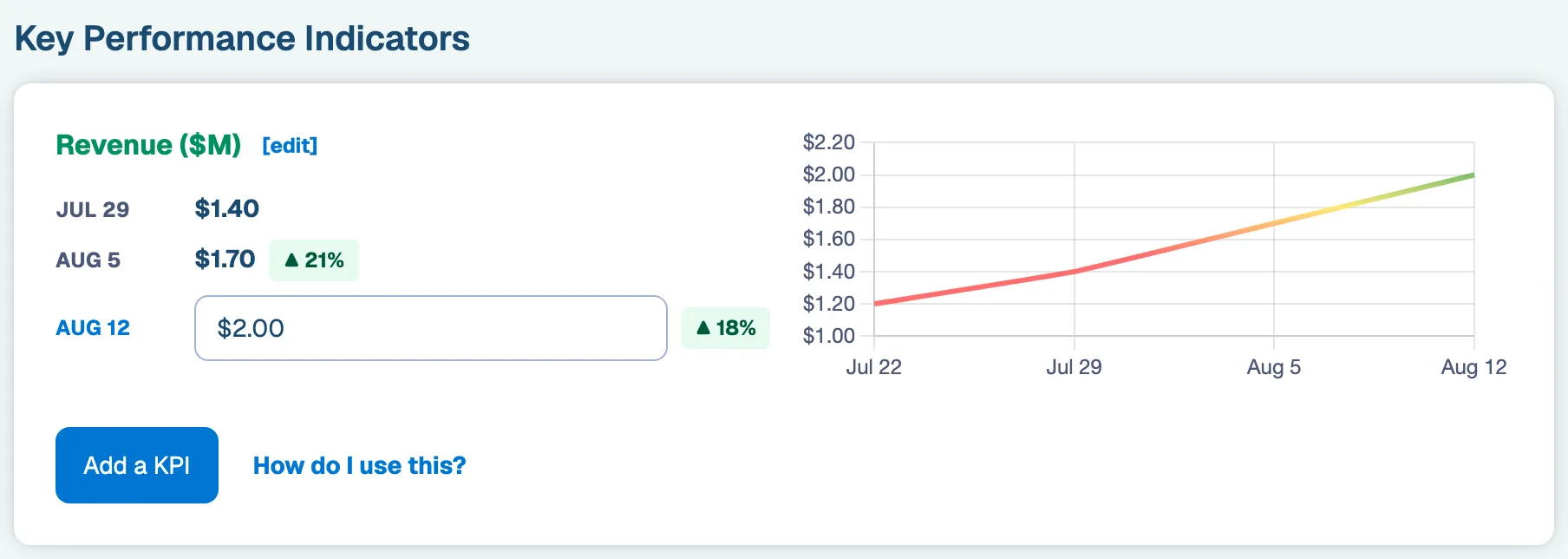
Attach the KPIs your team runs on (revenue, pipeline, tickets closed) to any recurring meeting or 1:1, with thresholds. Less Meeting charts each one across every occurrence, so the room opens on the trend instead of a number someone pasted in that morning.
When a number slips below its threshold, assign an action item on the spot. It rolls into next week's meeting, and the one after, until someone closes it.
team analytics
Put a price tag on every meeting
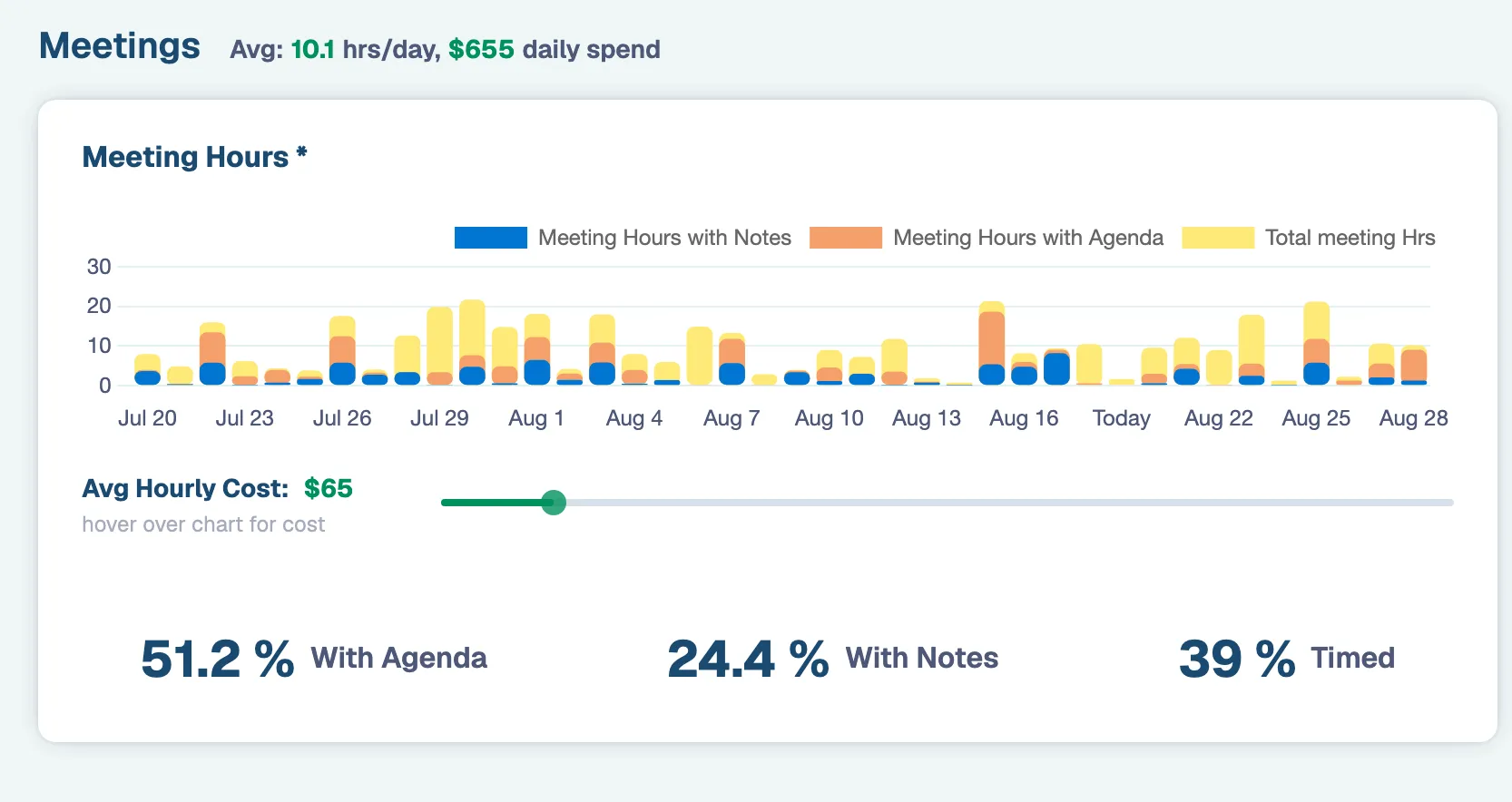
Team Analytics shows how much time and money your team pours into meetings each week, so you can cut the ones that aren't earning their place.
Anonymous feedback and an automatic score on every meeting tell you what's working and what to fix, without anyone having to be the bad guy.
Curious what your own meetings cost? Try the free calculator →
Fits how your team already works
One more tool, zero new places to check. Less Meeting runs on the calendar and task apps your team has open all day.
Lives on your calendar
Real-time sync with Microsoft 365 and Google Workspace, so every meeting on your calendar is ready to run.
Private by default
Just your team in the room. Nothing is recorded or transcribed, and no outside bot ever joins the call. Your notes stay encrypted and yours, so sensitive conversations stay between the people in them.
Tasks where you work
Action items push straight to Microsoft 365 and Google Tasks, so people check them off in the tools they live in.
On every device
Run or join from an iPhone, iPad or Android phone, then pick up where you left off on the web. Agendas, notes and action items stay in sync.
Before you ask
Getting Started
Is Less Meeting free to try?
Which calendars does it work with?
Do I need to get my whole team on board first?
Using Less Meeting
Can I use it for recurring meetings and 1:1s?
We already take notes in a Google Doc. Why switch?
How does automatic follow-up work?
Is my meeting data private?
Is there a mobile app?
Make your next meeting the short one.
Start free and put it on a timed agenda.