Uninstalling the Outlook Plugin
If you’d like to uninstall the Less Meeting Outlook plugin you can do so the same way you’d uninstall any Windows program. Here’s how:
-
Close Outlook (if it’s currently open)
-
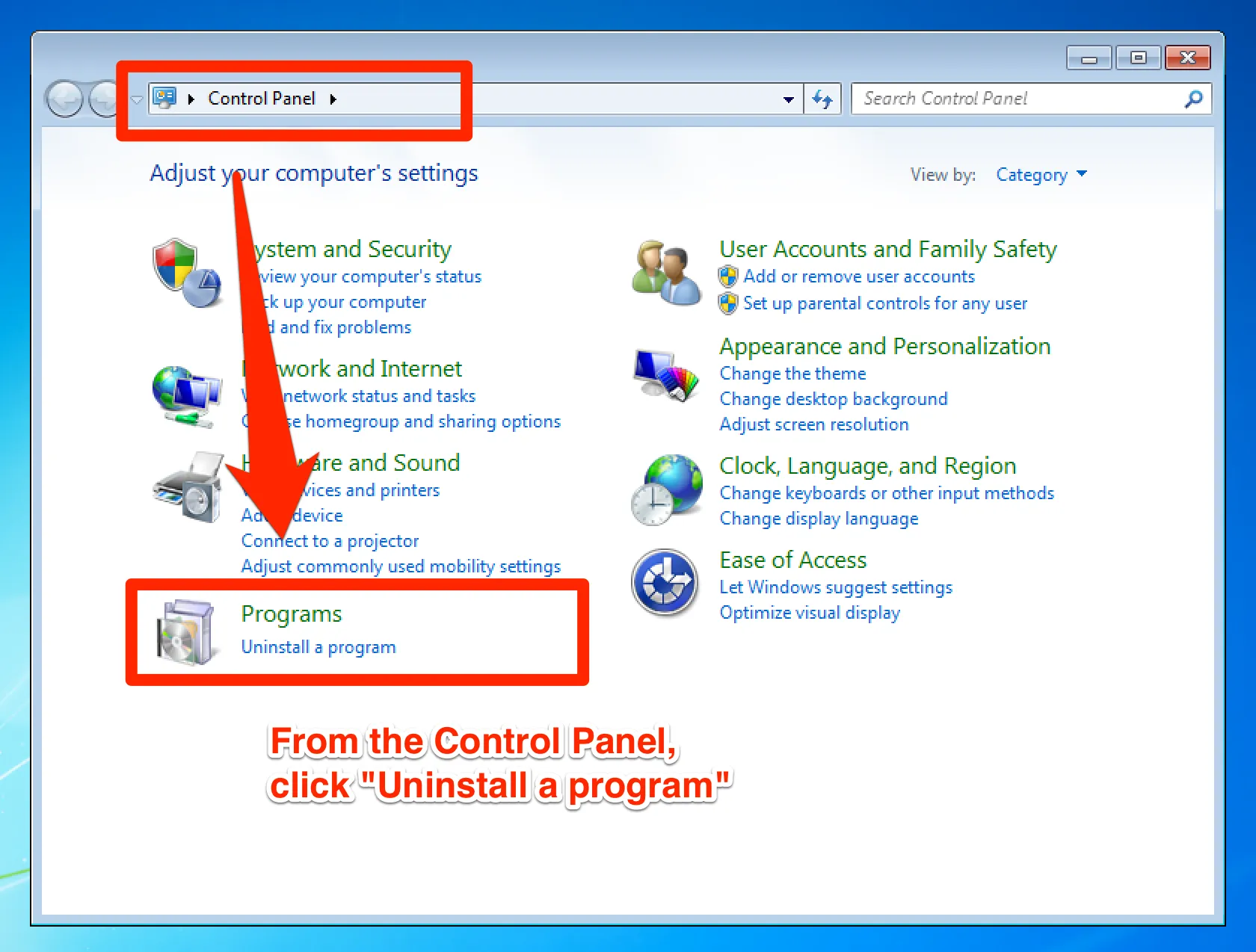
Open your “Control Panel” (typically found under the Windows Start menu)
-
Click “Uninstall a program”
-
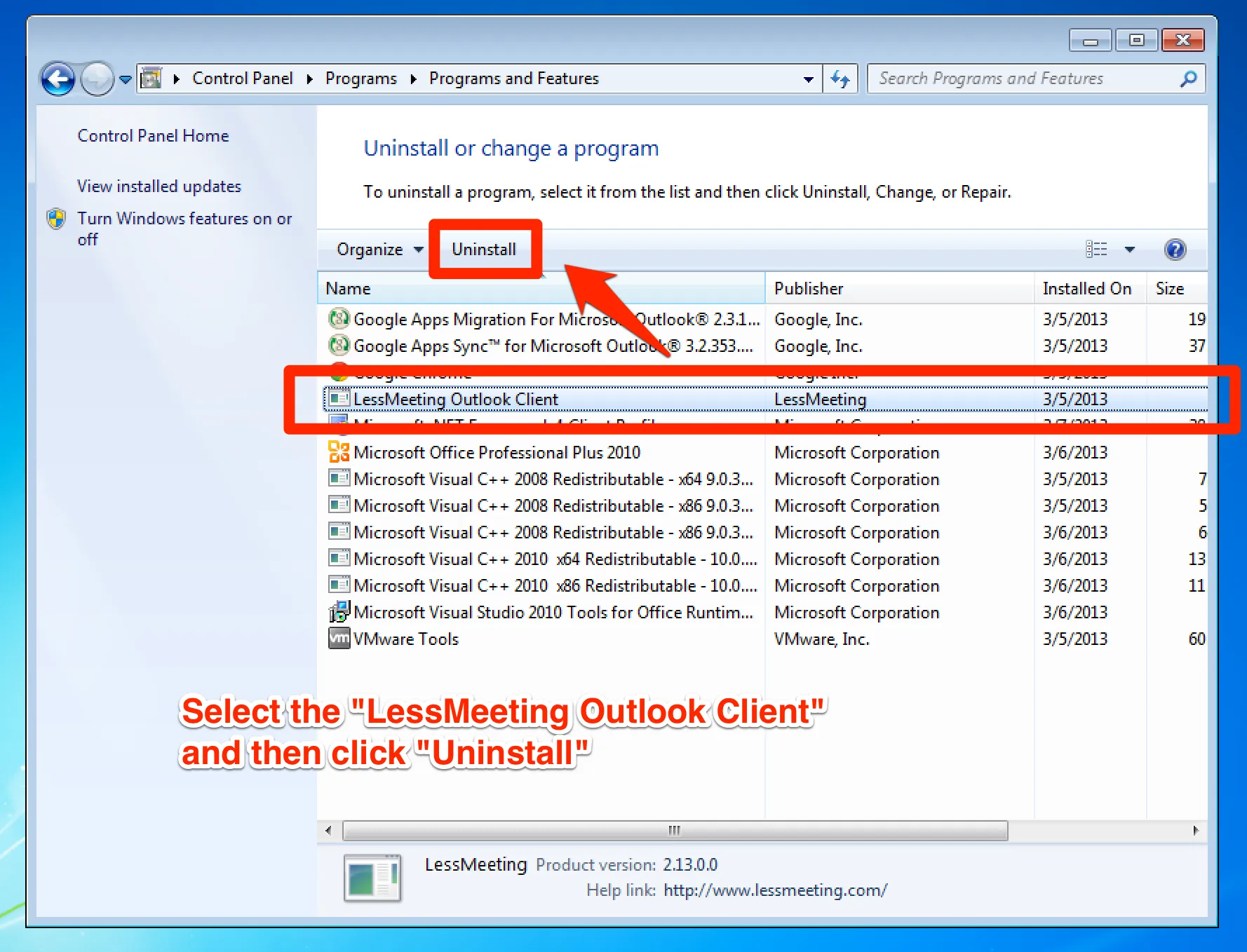
Select the “LessMeeting Outlook Client”
-
Click “Uninstall” and follow the prompts to complete the uninstall